How to Introduce Claude, Cursor, and ChatGPT Into Your Organization Safely
A practical framework for adopting AI tools while managing data, compliance, and security risks.
Intro
AI tools like Claude, Cursor, and ChatGPT are rapidly entering the workplace
Many organizations adopting AI without structured plans or guardrails
Stakes are high: productivity gains vs. serious risks if mismanaged
Post will walk through a practical, step-by-step framework for safe adoption
Audience: IT leaders, operations managers, founders, and department heads
Understanding the risks of ungoverned AI adoption
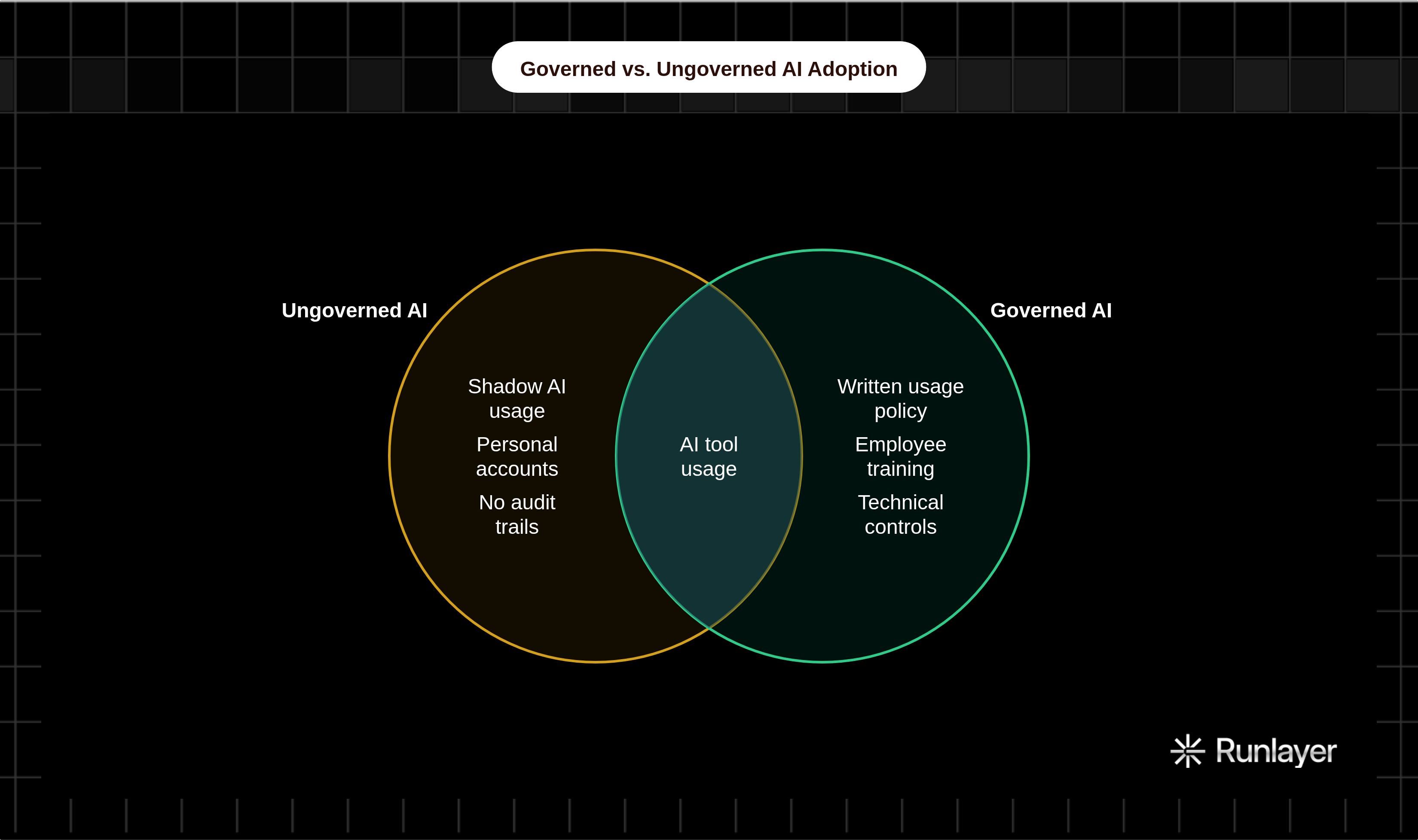
Shadow AI usage
Employees using personal accounts and free tiers without oversight
Data leaving organizational control unknowingly
Data privacy and confidentiality risks
Sensitive company data, client info, or IP entered into prompts
How AI providers use training data and what their data retention policies mean
Compliance and legal exposure
GDPR, HIPAA, SOC 2, and industry-specific regulations
Copyright and IP ownership concerns with AI-generated content
Misinformation and errors
Hallucinations and confidently wrong outputs
Risk of employees over-trusting AI responses
Reputational and ethical risks
Biased outputs affecting hiring, customer interactions, or communications
Public or client-facing use without review
Choosing the right tools for your organization
Overview of key tools
ChatGPT: general-purpose assistant, broad use cases, consumer and enterprise tiers
Claude: strong reasoning and long-context tasks, Anthropic's safety-focused design
Cursor: AI-powered code editor, developer-focused, integrates with codebases
Matching tools to use cases
Writing and communication tasks vs. technical/coding tasks
Research and summarization vs. customer-facing automation
Evaluating enterprise plans and security features
Data processing agreements and opt-out of training
SSO, audit logs, admin controls
API access vs. consumer product distinctions
Vendor due diligence checklist
SOC 2 Type II certification
Data residency options
Incident response and breach notification policies
Avoiding tool sprawl
Standardizing on approved tools rather than allowing free-for-all
Centralized procurement and licensing
Building an AI usage policy
Why a written policy is non-negotiable
Sets clear expectations and accountability
Provides legal and compliance cover
Core components of an AI usage policy
Approved tools and prohibited tools list
Data classification rules — what can and cannot be entered into AI tools
Use case guidelines by department or role
Human review requirements for AI-generated outputs
Disclosure requirements (e.g., client-facing AI-generated content)
Consequences for policy violations
Involving stakeholders in policy creation
Legal, IT, HR, and department leads at the table
Getting employee input to improve buy-in
Keeping the policy living and updated
Scheduled review cycles as tools evolve
Process for employees to flag edge cases
Sample policy framework or template reference points
Training employees effectively
Why training is as important as the policy itself
Policy without understanding leads to accidental violations
Skilled users get dramatically better results
Tiered training approach
Baseline training for all employees: risks, policy, basics
Role-specific training: marketers, developers, analysts, etc.
Power user or AI champion track for internal advocates
What training should cover
How each approved tool works at a conceptual level
Prompt engineering fundamentals
Recognizing and handling hallucinations or errors
Data hygiene: what not to paste into a prompt
When to escalate or not use AI at all
Training formats and delivery
Live workshops vs. async video modules
Hands-on exercises and real work scenarios
Ongoing lunch-and-learns or AI office hours
Building internal AI champions
Identifying early adopters and enthusiasts per department
Using champions as peer educators and feedback conduits
Managing data privacy and security
Data classification as a foundation
Defining tiers: public, internal, confidential, restricted
Mapping which tiers are permissible with which tools
Configuring tools for maximum privacy
Disabling chat history and training opt-outs where available
Using enterprise API endpoints instead of consumer products
System prompt and context window hygiene
Technical controls to enforce policy
DLP (Data Loss Prevention) tools to flag AI-related data transfers
Network-level controls and browser extensions for approved tools only
Monitoring and audit logging of AI tool usage
Third-party risk management
Reviewing vendor subprocessors
Signing DPAs and BAAs where required
Incident response for AI-related data exposure
Clear process if sensitive data is accidentally submitted
Who to notify and how quickly
Measuring success and iterating
Defining what success looks like before you start
Productivity metrics: time saved, tasks automated
Quality metrics: error rates, revision cycles
Compliance metrics: policy violations, incidents
Adoption metrics: active users, departments engaged
Methods for gathering data
Employee surveys and feedback loops
Usage analytics from enterprise dashboards
Manager and team lead observations
Common early warning signs to watch for
Spike in shadow AI tool usage signals policy gaps
Quality complaints pointing to over-reliance on AI output
Security incidents indicating training or control failures
Iteration cadence
30/60/90-day review checkpoints after rollout
Quarterly policy and tooling reassessments
Staying current with rapid AI tool evolution
Communicating wins internally
Sharing success stories to drive broader adoption
Tying AI outcomes to business results leadership cares about
Conclusion
Recap: safe AI adoption is a process, not a one-time event
The four pillars: right tools, clear policy, trained people, technical controls
Organizations that govern AI well will outcompete those that ignore or ban it
Call to action: start with a policy draft and one pilot team before scaling
Encouragement: the complexity is manageable with the right framework